You might have noticed, while browsing the web, a proliferation of AI agents: moltbot, openclaw, claudebot, and so on—dozens of them, I've lost count. They are capable of quite sophisticated behavior (at least in appearance), and if you use one long enough you may find yourself restructuring your work around what it can do for you. Pretty soon you're wondering what other tasks it could take off your hands, and before you know it you've delegated a large portion of your digital life to an AI agent - terrifying in practice. That's why I'm both interested in these tools and wary of them, since they are only useful in time saving after you've handed over control.
The trouble with agents is that most were built fast and shipped faster, so it should be no surprise their threat models show it. Every new permission you grant widens the attack surface, and vibe-coded security guarantees are worth about what you’d expect them to be. An agent that can read your calendar, send emails on your behalf, and browse the web for you is also an agent that can be manipulated into doing all of those things on behalf of whoever slips the right instructions into its context window. Prompt injection remains an unsolved problem, yet we keep granting the access anyway.
I didn’t want to bet that my agent would never be compromised or hallucinate a meeting into my calendar at three in the morning. So I built SchedLock this week, which I’ve since been using to mediate between my agent setup and Google Calendar.
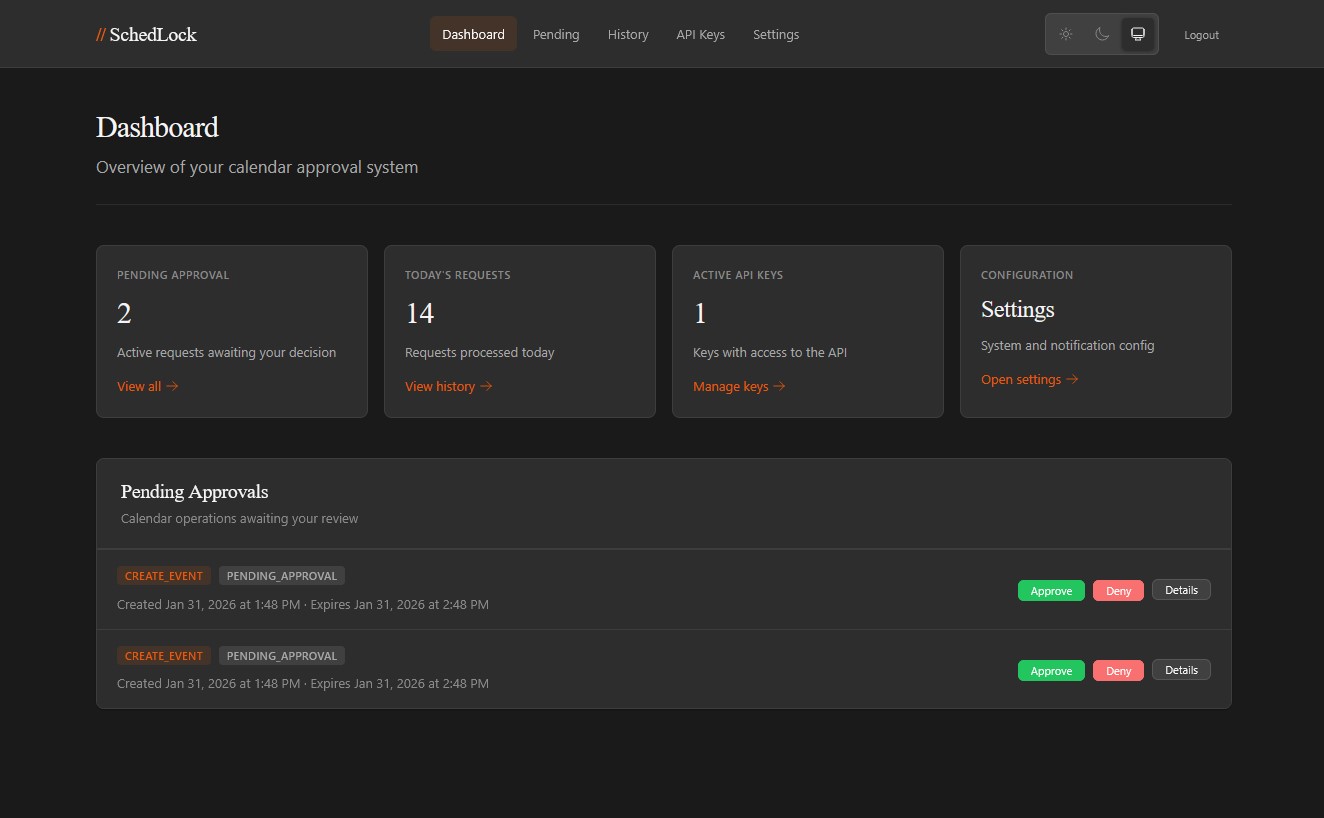
SchedLock is a proxy that sits between your agent and the calendar API. Reads go through with whatever access level you configure, so the agent can see your schedule and check availability; or you can lock it down further. Writes never go through: a new event, a moved meeting, or a cancellation are all captured as pending requests and sent to you for approval before anything happens on your calendar. A notification is sent via ntfy, Pushover, Telegram or a webhook for custom integrations and you can approve or deny the agent’s request with one tap.
The point of putting the human in at the proxy layer is how failure looks. If an agent gets talked into scheduling a bunch of garbage, well, that's an explicit request it made to you which you can reject. If it misunderstands your instructions and starts doing the wrong thing, it will surface that misunderstanding to you as a notification on your phone so you can correct it before the problem becomes too big or messy to handle.
Your calendar entries are written to an audit log. Yes, this sounds like bureaucracy, and yes, you will come to appreciate it the first time you wish to retrace your steps. An agent with access to your life will take small liberties over a period of weeks, and you won't remember approving each one. That's why the audit log is there: so you can go back and confirm that every calendar write traces to a request you said yes to.
Three kinds of API key, read-only keys that can only make queries; write-keys that can only submit requests for approval; admin keys, which are used to configure the system. API keys are hashed with HMAC-SHA256; Google OAuth tokens are encrypted with AES-256-GCM, and the decision-tokens in approval-callbacks are single-use. You can have multiple notification-providers active simultaneously; get the push-notification on your phone, and a webhook to your home-automation system, and a Telegram message too; if you are the paranoid type. You should be.
On the agent side there is no plug-in, and there’s no bespoke interface to stand up. Instead the agent learns about the proxy from a SKILL.md file that is hosted at a URL you provide, which it will consult when calendar work comes up, in much the same way that a person might learn to operate an unfamiliar tool by consulting its documentation. I like this approach because it makes calendar access into something the agent was taught, and makes the approval requirement part of that lesson.
After a few days it works. The agent makes suggestions, I get notified, and if any of them seem reasonable I confirm them; my calendar stays under my control. There's some latency involved with the approval flow but I can tolerate it; most suggestions are confirmed within seconds of being buzzed and the agent copes well with that.
There are still some rough edges I am filing down. The underlying architecture seems solid, though, and this problem is common enough that it seemed better to release the code rather than sit on it until it was polished. It is at github.com/davidtorcivia/schedlock and it deploys with Docker. The state is stored in a SQLite database, and there's a web UI for configuration - and for approving things when you have access to a keyboard, rather than only your phone. See the README for details on getting it up and running. If you are running agents that have access to your calendar, and this has been causing you sleepless nights - well, here is one possible solution.