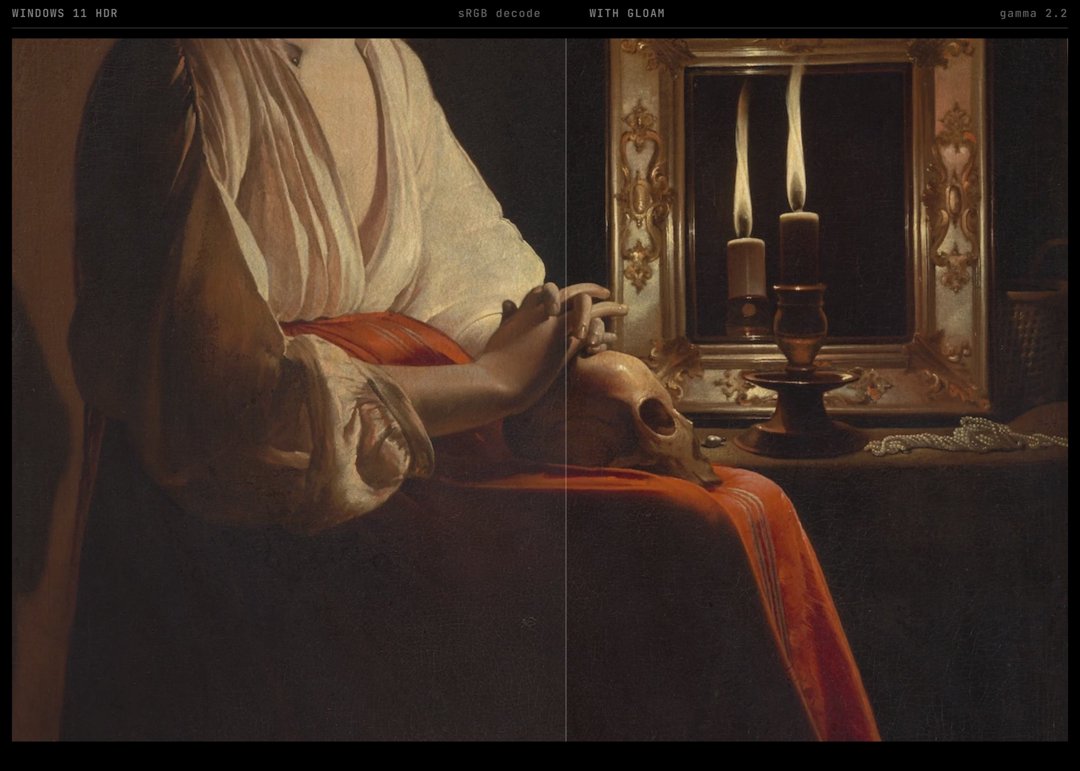
When in HDR mode, Windows displays SDR content with a piecewise sRGB transfer function. Most SDR content is produced on and for a power law response like gamma 2.2 or gamma 2.4. This discrepancy lifts shadows and ruins the work of creators. This article explains the what, how, and why of the mismatch and highlights the free and open source software I wrote to correct it.
The shadows were wrong.
On my right sat my critical reference display, a Flanders Scientific DM250 hooked up to my workstation directly via SDI. It displayed gorgeous deep rich blacks, just as I and the DP and director (and countless other artists) had intended.
Directly in front of me was my newly purchased MSI MAG 271QP X28 OLED monitor set to HDR. To my left my HDR Gigabyte M27Q. Above all three, my client reference LG OLED (which I had been running in SDR but had just flipped to HDR to coordinate with the new display). All three were, for the first time, using Window 11's HDR pipeline. They looked terrible.
Instead of the deep atmospheric blacks my FSI and vectorscopes were showing, I was accosted by washed out greys and a general flat muddiness that was not at all what storeroom HDR displays promised. The difference was drastic, like looking at a photocopy of a photocopy or a sunset through a smudged and hazy window.
I'm a senior colorist with well over a decade of experience. I know HDR, I know SDR, I know pipelines and transfer functions and color spaces and all the minutiae. I've got a well worn copy of Digital Video and HD sitting next to my desk. I've colored and produced HDR content. I've spent my life training my eyes to notice. When I say the color was wrong, that the shadows were lifted, I mean it and I speak from deep and disappointed authority. My new HDR monitor, which I had purchased for OLED blacks and only enabled in HDR because I measured the SDR as less accurate with my colorimeter, looked bad. It lacked weight - games were washed out, my work was drab, everything felt off. Windows was doing something and it was disrupting decades of convention. Most people, I learned, stopped here, simply disabling HDR or learning to live a slightly greyer existence - but colorists are perfectionists.
Research revealed this was a common complaint and it wasn't a bug or configuration issue, but an intentional design decision from Microsoft in the way the OS HDR compositor works. As a result of these choices, the majority of SDR content (which is mastered on and for power-law gamma displays) looks incorrect in HDR. There is no option to adjust or disable this behavior and no documentation as to why this decision was made.
I couldn't bear to look at this anymore, so I put together a patch.
Gloam (which takes its name from Windows’ inability to distinguish between night and noon), post processes the correction. The software intercepts Window's mangled gamma curve, applies a mathematical inverse, and then applies a proper gamma 2.2 or 2.4 curve per monitor restoring proper contrast. As an added bonus, we can apply a superior night mode in HDR (which breaks a lot of existing solutions), provide perceptual dimming to reduce the searing brightness of HDR without clamping, add per game (or program) picture profiles (superior contrast, etc), and if you have a colorimeter we can measure and correct your monitor's gamut and gamma response for more accurate images. All of this is done seamlessly, persistently, without any flicker, registry hacks, or heavy background software.
Gloam shouldn't exist, but it needs to.
What follows is a detailed explanation of what is wrong with Windows, how it came to be that way, why it's important, and how we fix it. There is some non-trivial math, but it's manageable and I'll explain as we go. This is a technical document, but it is also a chronical of my exasperation.
I. Gamma
This story begins with gamma and we must understand it and its origins before we can understand what Windows gets wrong.
Old displays used cathode ray tubes (CRTs) - vacuum tubes with an electron emitter or emitters that would shoot and excite a phosphorescent screen thus creating an image. These tubes had a non-linear relationship between input voltage and output luminance. At an input signal for 50% brightness, they'd emit ~22% of their maximum luminance following an approximate power law:
\[L = V^\gamma \]
L is the output of a CRT phosphor (luminance) and the input signal V has an exponent \(\gamma\) (gamma) which was typically ~2.5 for most phosphor types1. This gamma value is not arbitrary and derives from measured output and thus all media downstream needed to apply inverse functions at the source in order to preserve the perceptual accuracy (despite the downstream nonlinearities). This gamma correction worked well enough and has been around for decades. Gamma 2.2 (which represents the bulk of content today) originated as an ad hoc standard for computer monitors intended to compromise CRT nonlinearities and typical viewing conditions2.
Microsoft's error in this process, through ignorance or intention, was their assumption that content creators work with rigorous attention to specification. This is not to say that pockets of creators don't as anyone who has delivered something for theatrical release or thumbed through Netflix deliverable requirements will tell you, but "content" as an industry is vast and much of it is, let's say, less than rigorous. A typical game developer lighting a dungeon is not measuring contrast ratios and power laws, she is shifting values until the image looks great on her monitor. If that monitor is utilizing gamma 2.2 (as the vast majority of displays manufactured in the last three decades do) then those values implicitly encode gamma 2.2.
This is what Windows disregards.
II. The Dead Spec
A 1996 agreement between HP and Microsoft, sRGB was created to impose some sanity on the consumer digital imaging market. It defined a color space by specifying three primary colors and a white point, but it also defined how to map code values to luminance by means of a transfer function.
The sRGB transfer function is actually a little more elaborate than a simple 2.2 exponent: there’s also a linear section near zero, for numerical stability with eight-bit integers; beyond that it’s a 2.4-power function, with fudge factors to make the two sections join smoothly together.3 It looks like this:
\[L = \begin{cases} V / 12.92 & \text{if } V \leq 0.04045 \\ \left(\frac{V + 0.055}{1.055}\right)^{2.4} & \text{if } V > 0.04045 \end{cases} \]
It’s an exchange rate that varies with the amount being converted. For large transactions (bright values), sRGB and gamma 2.2 use nearly the same rate, agreeing on how many dollars (units of light) to buy with a given number of pesos (signal values). But for small transactions (shadow values), they use different rates, with sRGB giving you more dollars per peso than gamma 2.2.
How much more? At the 10% signal level, which corresponds to deep shadow in most images, sRGB produces almost 60% more light than gamma 2.2 would; at the 5% level it produces almost three times as much.


The difference diminishes through the midtones and disappears in the highlights, but is concentrated where we most need darkness: in the shadows that give an image its atmospheric depth; in the blacks that give weight and substance to a picture; in the darks that video games and films use to create mood and tension.
For thirty years now, Windows has operated with two different transfer functions: a de jure piecewise sRGB and a de facto gamma 2.2 that the hardware actually implements. The specification was acknowledged in documents but universally ignored in silicon: virtually no monitor implements piecewise sRGB. Instead, it implements gamma 2.2, which is what the hardware naturally provides and what the industry standardized on long before sRGB was published. Nobody cared because monitors ignored the specification anyway, so the two functions were different but irrelevant.
Then came HDR, and Windows finally began to respect its own spec.
III. The HDR Pipeline and Its Discontents
With HDR enabled in Windows 11, the Desktop Window Manager (DWM) becomes a critical component of the display pipeline. It acts as an intermediary between apps and your HDR panel, taking in content from windows, translating it into a common format for compositing before sending the final image to be displayed on screen.
For native HDR content, this translation is straightforward. However, the majority of content remains SDR: websites, desktop applications, older games, photographs. This must be lifted into the HDR space, which requires a decision on how to interpret the SDR values.
They chose to view them through sRGB-tinted glasses.
The DWM decodes SDR content using the piecewise sRGB curve, lifts it into a linear light space scaled to your configured “SDR Content Brightness” level, and then re-encodes it using the ST.2084 Perceptual Quantizer (PQ) curve for HDR output.4 Each step of this process follows from a mathematically rigorous specification, and the end result of all that spec-compliance is that shadows look like garbage.
This is because the content was not created for sRGB decoding. The game developer, the photographer, the web designer worked on gamma 2.2 monitors, so their shadow values assume gamma 2.2 decoding. When Windows decodes those same sRGB values it produces more light in the shadows than the creators intended. The dungeon that was supposed to be dark becomes hazy, atmospheric fog that was supposed to suggest depth is now an even wash. True blacks OLED technology enables become filled with phantom gray.
I first thought I had misconfigured something, having observed this on three HDR enabled displays all showing the same lifted shadows with my SDI connected color critical Flanders (incidentally also an OLED), displaying reality, alongside them. I went down a rabbit hole of display settings, driver control panels, monitor OSD menus, calibration software that produced results that drifted and shifted, never stabilizing. I discovered connecting all three Windows displays simultaneously causes the system to seize, screens flashing on and off in a cascade that can only be resolved by forcing shutdown. I was frustrated. Deeply frustrated really and so I decided to put some math together to handle this translation properly.
IV. The Correction
I was not the first to diagnose it. Dylan Raga spotted that sRGB vs gamma-2.2 mismatch in the Windows HDR compositor and published a corrected ICC profile to fix it; Gloam began as a fork of his work, but has grown into something more.5 The diagnosis is the hard part (all due respect to Dylan who saved me enormous amounts of time); what follows is built on top of that realization.
Fix what Windows broke, then do it right.
Gloam produces a look-up table, a LUT, that says "when you see X, output Y." Windows has computed a PQ value for each shadow level that corresponds to sRGB. The LUT changes the output so that Windows will send a PQ value for each shadow level that corresponds to gamma 2.2 instead of sRGB. The display then converts the PQ value into light, and the shadows are fixed.
Five steps, I'll spare the math (see it in the whitepaper). Picture a chain of translators.
-
Windows encoded its linear light values, the incorrect ones, using the ST.2084 PQ curve. Decode this first, to recover what Windows thought the light should have been.
-
Windows assumed the original content was sRGB-encoded. Reverse that by applying the sRGB encoding function; in essence, ask what input value would have produced this output under sRGB decoding.
-
With the original signal value reconstructed, decode it using gamma 2.2 (or gamma 2.4 for dark-room viewing), which is what the content actually expected.
-
Re-encode the corrected linear light value back into PQ for the trip to the HDR display.
-
Above the SDR range, blend smoothly toward identity, so true HDR content is left untouched and only the SDR region is corrected.
The key characteristic of HDR, the greatly expanded luminance range it offers (modern displays can reach up to 1,000 or even 4,000 nits, versus only 80-480 nits in SDR content), makes this final step especially critical. Certain applications labeled "SDR" in fact make use of the extra headroom that HDR displays provide, for bright highlights and UI elements. If we applied our shadow correction to such bright values, we would improperly crush them. What we want instead is a smooth blending, from full correction at the SDR white level to no correction whatsoever as luminance rises toward the HDR peak.
This correction curve is computed at 1024 points per channel and then resampled onto the 256-entry hardware gamma ramp that every GPU exposes. Since a display's white level is part of its transfer function, each monitor gets its own curve. Early builds of Gloam shelled out to ArgyllCMS's dispwin utility to load the curve onto the hardware; now it writes the ramp directly through the same Win32 call, keeping dispwin as a fallback for display drivers that refuse it.6
The correction persists until something else overwrites the hardware gamma ramp, and things do: fullscreen games and driver events silently reset it. So Gloam reads back the hardware state, verifies the curve it set is still in place, and restores it when it has been stomped, besides reapplying automatically at startup, on display changes, and on resume from sleep.
V. Beyond Shadows: Night Mode and Perceptual Dimming
The gamma correction addresses the core issue, yet a screen operates within an environment, and environments vary. The program enhances the primary correction in multiple ways, each responding to real-world shortcomings of other software.
Night mode means warming your display’s color temperature in the evening to cut down on blue light. Our circadian rhythms are attuned to the changing color temperature of natural daylight, warm at sunrise and sunset, neutral around midday, cooler in overcast conditions. Blue light exposure in the evening inhibits melatonin secretion and disrupts healthy sleep-wake cycles. Windows provides a "Night Light" setting for this, while third-party solutions such as f.lux (or redshift) have long been available.
These SDR-oriented tools were never designed to operate in HDR, so it should come as no surprise that they produce aberrations on HDR panels. When I tested f.lux, Lightbulb, and Windows Night Light with my HDR displays, the results varied from useless to psychotic. The colors shifted in directions they weren’t supposed to go, luminance relationships were warped in ways that made the images look damaged rather than warmed. These tools work by manipulating gamma tables or using compositor overlays, but the internal conversions of the HDR pipeline interact with these manipulations in unintended ways.
By generating the LUT with an integrated warming computation instead of a post-process overlay, Gloam can compute the shift as chromatic adaptation: moving white point in CAT16 cone space, with an explicit degree of adaptation,7 similar to the way the human eye adapts to warmer lighting conditions. Most tools warm an image by cutting the blue channel, but Gloam's adaptation keeps neutrals gray even at candle temperatures—while a cut drags them toward muddy green-brown. The adjustment is carried in high-precision floating point through to quantization, preserving shadow integrity despite the warming. Transitions are paced in mired space, a perceptually uniform scale for color temperature steps—fades from 6500 K to 2700 K move at a constant apparent rate, avoiding the crawling and lurching of fixed-step fades. Geographic coordinates enable solar position calculations for automatic transitions tracking the actual sun, not rigid schedules oblivious to seasonal variation. For deepest evening settings Gloam's Ultra Night profile can compute warmth spectrally, and accept a measured sample of your own panel's emission spectra. (This is what I use and it's hard to go back to anything else once you get used to it).


Simply reducing the brightness of an OLED display by multiplying all pixel values with a scaling factor is not a viable solution because it crushes shadow detail before meaningfully dimming the highlights. Perceptual dimming seeks to avoid this problem. OLED displays can be uncomfortably bright in low-light conditions despite their ability to render perfect blacks, the technology’s searing highlights prove problematic.
The eye’s response to light is compressive, not linear: equal increments of luminance are perceived as progressively smaller changes in brightness. By implementing perceptual rather than physical dimming, this software preserves shadow separation while reducing overall luminance,8 much as an orchestra turned down proportionally keeps its quiet passages audible while the fortissimos become tolerable. The same principle is employed in professional photo editing software to adjust the exposure of images, and here it is applied to real-time display output.
VI. The Meter Has the Last Word
The reference monitor is where I began, and it would be dishonest to end this essay without circling back. A correction derived from mathematics is a model, and models drift away from reality in all the usual ways. Panels age, factory calibrations lie, two units of the same model will disagree with each other. Gloam has a measurement loop built into it, so you can connect a colorimeter and drive ArgyllCMS through a full characterization of the panel, in SDR or HDR (it measures patches at known positions on the PQ curve rather than trusting what the display claims about itself). This correction gets baked into an MHC2 transform in a Windows color profile, which the Windows compositor reads. This means it will persist as a system level setting and work with live gamma curves, night mode etc rather than against them. Gloam applies the profile and then re-measures the panel through it, so that every number in the final report is a post-install measurement.
VII. The Gap Between Specification and Practice
The Windows HDR debacle has a broader lesson, about standards and specifications, about the difference between what they say and what practitioners do.
It was published in 1996, this sRGB thing. For almost thirty years now it has specified a transfer function that virtually no display actually implements and many common desktop, game, photographic, and video workflows have historically been judged on displays closer to a power-law response. The specification exists but reality ignores it; everything works because the mismatch is consistent - gamma 2.2 monitors receiving gamma 2.2-mastered content through a pipeline that nominally calls itself "sRGB" but actually behaves otherwise. The lie was persistent and I suppose persistence is a kind of stability and a stable lie cannot be told from truth.
Then, in the name of correctness, Microsoft decided to enforce the spec. They built an HDR compositor that implemented sRGB exactly as described in the document. And suddenly every piece of SDR content looked wrong: every game, every photograph, every website that had been lovingly mastered over the course of three decades on displays with a gamma of 2.2. It looked wrong not because the content had changed, and it looked wrong not because displays had changed, but because Microsoft had corrected a bug that was, in classic Microsoft fashion, actually a feature: they'd fixed something that wasn't broken, applied a spec to a world that had evolved around ignoring it.
Gloam is itself a lie: it pretends Windows did not do what Windows did. It's a counter-lie that restores the old regime of mutual deception. The LUT says "when you see this value, output that value instead," and means "forget what Windows just told you." A hack in the purest sense, working around the system rather than through it, succeeding by subversion instead of cooperation.
Microsoft should expose a setting: sRGB for content that theoretically targets it, gamma 2.2 for the overwhelming majority that assumes it, and gamma 2.4 for professional dark-room environments. Technically this is easy to do since the parameter already exists in their pipeline, it merely needs a control surface. But institutional inertia is powerful and those who understand the problem rarely have the organizational capital to ship solutions.
Until such a fix becomes available, if ever, we must make ourselves into the users that consumer operating systems are designed to protect us from being. We must learn how to calculate transfer functions, generate LUTs, and encode PQ; we must compile tools, create profiles, and write values to hardware registers that Microsoft would rather we not touch.
Gloam is free and MIT licensed. Get it at getgloam.org or on GitHub at github.com/halideworks/gloam. The whitepaper documents the mathematics in detail, including what the correction can and cannot claim. My displays now show shadows that are genuinely black, color temperatures that smoothly shift with the sun, and brightness levels that I can tolerate in the evening. The light is true at last, because I wrote software to correct for the pipeline's lies.
-
Charles Poynton's Digital Video and HDTV: Algorithms and Interfaces (Morgan Kaufmann, 2003) is the technical reference for display color science. It covers CRT gamma physics and the standardization processes that followed, in great detail. ↩︎
-
Gamma 2.2, the unofficial standard, arose from a dialogue between CRT display physics and office environments with their typical levels of ambient illumination. The International Electrotechnical Commission's IEC 61966-2-1:1999 specification for sRGB recognizes that "a display gamma of 2.2 is assumed" under viewing conditions where the ambient light exceeds 64 lux, which describes most computer use. For dark-room viewing conditions in cinema where ambient light does not raise the effective black level, gamma 2.4 (formalized in BT.1886) has been adopted as the standard. ↩︎
-
The sRGB standard was a 1996 joint effort by Hewlett-Packard and Microsoft: Michael Stokes et al., "A Standard Default Color Space for the Internet - sRGB." Its linear segment near zero was there to prevent numerical instability when quantizing to 8 bits, an issue for 1996-era systems that has faded with wider bit depths but remains frozen into the specification. ↩︎
-
SMPTE ST 2084:2014, "High Dynamic Range Electro-Optical Transfer Function of Mastering Reference Displays." Dolby designed the Perceptual Quantizer (PQ) curve to match the human perceptual response to luminance, which lets it encode the full 0–10,000 nit range of HDR efficiently; the PQ constants come from the Barten contrast-sensitivity model. ↩︎
-
Gloam builds on Dylan Raga's identification of Windows HDR's sRGB/gamma 2.2 mismatch and his ICC-profile fix for it (github.com/dylanraga/win11hdr-srgb-to-gamma2.2-icm), the insight the whole application is built around, and adds live per-monitor correction, a CAT16 night mode, perceptual dimming, gamma 2.4 support, per-game profiles, persistent automatic reapplication, and measured colorimeter calibration. ↩︎
-
ArgyllCMS, the Graeme Gill project that has been load-bearing in Gloam's implementation, supplies all of the measurement and profiling tools behind each colorimeter calibration, and its dispwin utility provides a fallback mechanism for loading gamma ramps in the event that the direct call is rejected by the driver. Gloam's native path writes the same 256-entry hardware ramp that dispwin would, but it does so without spawning a separate process on every adjustment. ↩︎
-
The default degree-of-adaptation D = 0.8 in Gloam reflects an empirical fact: human adaptation to a colored illuminant is never complete. CAT16 is the chromatic adaptation transform underlying the CAM16 appearance model (Li, C. et al., "Comprehensive color solutions: CAM16, CAT16, and CAM16-UCS," Color Research & Application 42(6), 2017). A full adaptation would warm the image too much, washing out color intrinsic to the content; at D = 0.8 the image warms while keeping more of the content's own color. ↩︎
-
Linear dimming crushes the shadows: scale everything down by, say, 30%, and what used to be near-black detail drops below the visible floor of your display long before the highlights start feeling dim. Gloam's perceptual mode fixes white at the requested brightness while easing the exponent of the curve as brightness falls, preserving near-black separation during reduction; linear dimming is available as an option. ↩︎